


Apply
Name
Your identity will be verified using your official documents. Please ensure the information you enter matches that on your ID.
Name
Your identity will be verified using your official documents. Please ensure the information you enter matches that on your ID.
Stage Name
If you enter a stage name, only your stage name will be displayed on your profile.
Do you have another nationality? *
Are you half? *
You will significantly increase your chances of receiving better offers if you provide detailed and high-quality information in these fields: Language, Biography, Skills, and Job Experiences.
Language(s)
Other Languages
Biography *
Begin with your name and current role. Detail your key skills and how
they've influenced your career trajectory. Summarize your professional
experiences, highlighting significant achievements. Mention your
educational background and any specialized training. Optionally,
shed light on personal interests that offer a glimpse into your
character. Wrap up with your future aspirations. Ensure your biography
remains genuine, and update as needed.
Skill(s) *
Click to upload or drag and drop photos
Allowed format: PNG, JPG (Up to: 5 photos/100 Mb (20 Mb per photo))
Click to upload or drag and drop videos
Allowed format: MP4 (Up to: 5 videos/350 Mb (70 Mb per video))
Click to upload or drag and drop audios
Allowed format: MP3 (Up to: 5 audios/100 Mb (20 Mb per audio))
Job Experiences *
Increase your chances of receiving more job offers by uploading media that showcase your job experiences.
Click to upload or drag and drop photos
Allowed format: PNG, JPG (Up to: 5 photos/100 Mb (20 Mb per photo))
Click to upload or drag and drop videos
Allowed format: MP4 (Up to: 5 videos/350 Mb (70 Mb per video))
Click to upload or drag and drop audios
Allowed format: MP3 (Up to: 5 audios/100 Mb (20 Mb per audio))
Enter your job experiences by uploading your resume here.
Click to upload or drag and drop pdf files *
Allowed format: PDF (Up to: 1 file/20 Mb)
Waist Up Photo *
Photo Guide
Click to upload or drag and drop your waist up photo *
Allowed format: PNG, JPG (Up to: 1 photo/10 Mb)
Full Length Photo *
Photo Guide
Click to upload or drag and drop your full length photo *
Allowed format: PNG, JPG (Up to: 1 photo/10 Mb)
Other Photos
Photo Guide
Click to upload or drag and drop your other photos *
Allowed format: PNG, JPG (Up to: 20 photos/200 Mb (10 Mb per photo))
Authentication Info *
Passport Photo *
Photo Guide
Click to upload or drag and drop a photo of your passport *
Allowed format: PNG, JPG (Up to: 1 photo/10 Mb)
Driver's License Card Photo *
Photo Guide
Click to upload or drag and drop the front side photo of your driver's license *
Allowed format: PNG, JPG (Up to: 1 photo/10 Mb)
Click to upload or drag and drop the back side photo of your driver's license *
Allowed format: PNG, JPG (Up to: 1 photo/10 Mb)
Insurance Card Photo *
Photo Guide
Click to upload or drag and drop the front side photo of your insurance card *
Allowed format: PNG, JPG (Up to: 1 photo/10 Mb)
Click to upload or drag and drop the back side photo of your insurance card *
Allowed format: PNG, JPG (Up to: 1 photo/10 Mb)
My Number Card Photo *
Photo Guide
Click to upload or drag and drop the front side photo of my number card *
Allowed format: PNG, JPG (Up to: 1 photo/10 Mb)
Click to upload or drag and drop the back side photo of my number card *
Allowed format: PNG, JPG (Up to: 1 photo/10 Mb)
Resident Card Photo *
Photo Guide
Click to upload or drag and drop the front side photo of your resident card *
Allowed format: PNG, JPG (Up to: 1 photo/10 Mb)
Click to upload or drag and drop the back side photo of your resident card *
Allowed format: PNG, JPG (Up to: 1 photo/10 Mb)
My Number *
Waist Up Photo Guide:
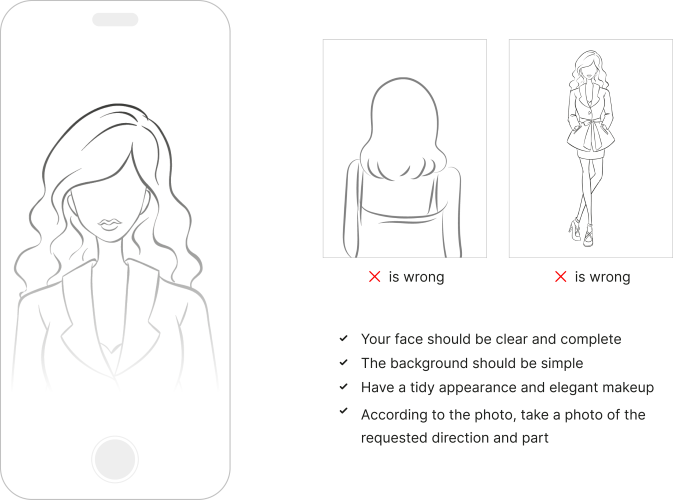
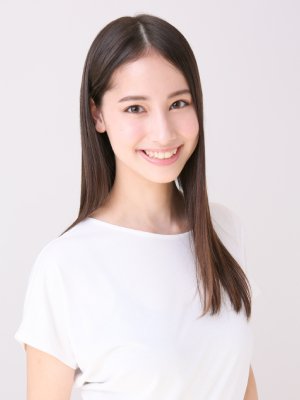
A standout waist up photo should clearly highlight your face, with room above your head and below your shoulders. Natural lighting, like from a window or on a cloudy day, is best as it avoids harsh shadows. Choose images with a plain or non-distracting background to make sure you're the focal point. Your expression should be genuine, be it a smile or a calm look. Photos from a newer smartphone with good clarity work well. Dress neatly, and if you're wearing makeup, keep it subtle.
Full Length Photo Guide:
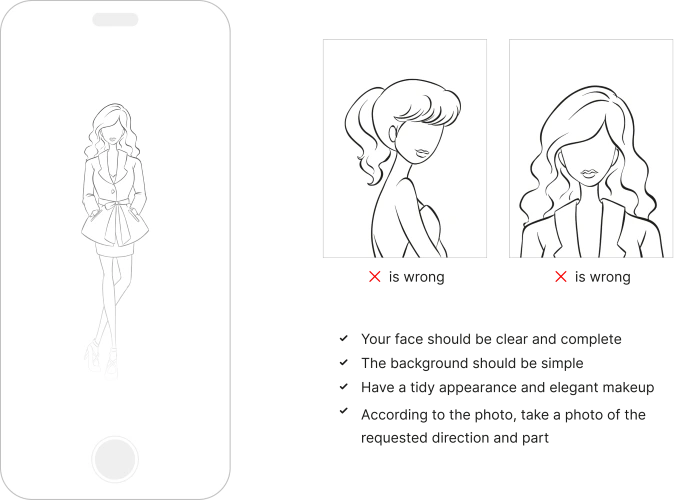
An outstanding full length photo should have you standing straight but relaxed. Good lighting is essential; it should illuminate your face and body evenly without casting harsh shadows or making you appear washed out. A simple background helps keep the focus on you. The entire photo should be proportional, suggesting it was taken with the camera around chest height. Dress professionally, ensuring your clothes fit well, and pair with appropriate shoes. Before settling on a choice, make sure the photo is clear and truly represents your best self.
Other Photos Guide:
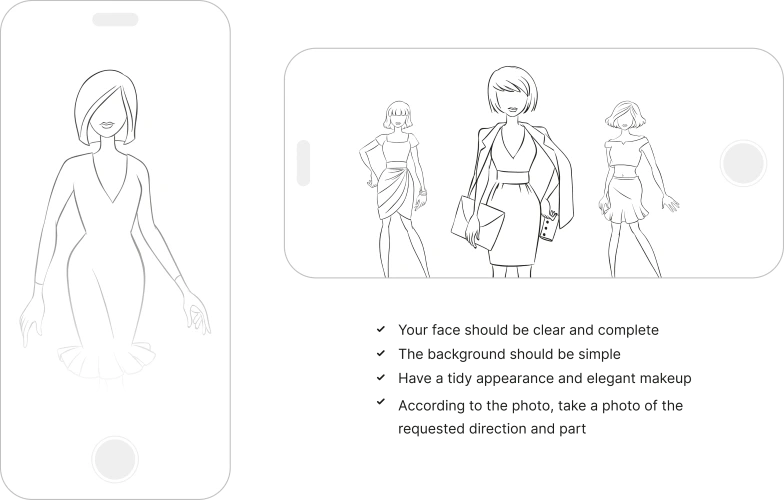
By uploading diverse images that showcase various poses, styles, and different make ups, you significantly increase your chances of receiving job offers. Clear, well-lit photos create a lasting impression on potential clients, allowing them to see your versatility and professionalism. It's crucial to ensure the quality of your images, highlighting your attention to detail and dedication to excellence. We recommend providing up to 20 high-quality images to comprehensively display your range of skills and unique personality. This proactive approach distinguishes you from others, opening doors to more opportunities and career advancement.
Passport Photo Guide:
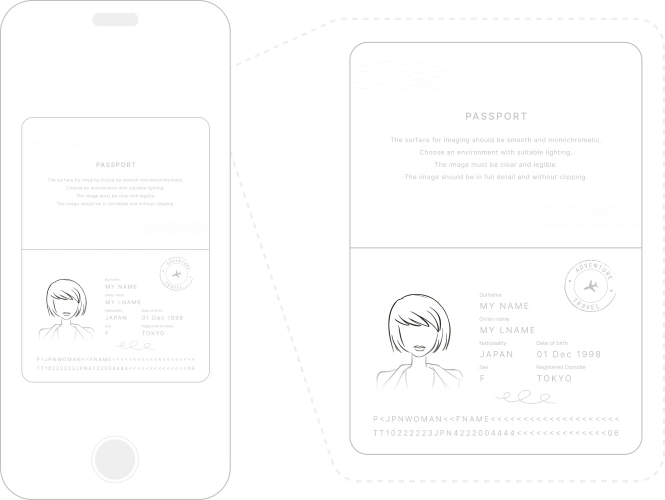
To verify your identity for Liliana Models, it's vital that your passport is both current and has not expired. Find a well-lit environment, ideally with natural light, and position the passport on a flat, solid-colored, non-reflective surface, ensuring no shadows or glare affect the image. When capturing the photo with a high-resolution smartphone or camera, hold it directly overhead. Ensure you take a clear photo of the photo and details page of the passport, making sure the full page is in view without any cropping. All details on the passport, including text, photos, and security features, should be crisp and legible in the image. As always, we prioritize your privacy and use the passport strictly for verification purposes.
Driver's License Guide:
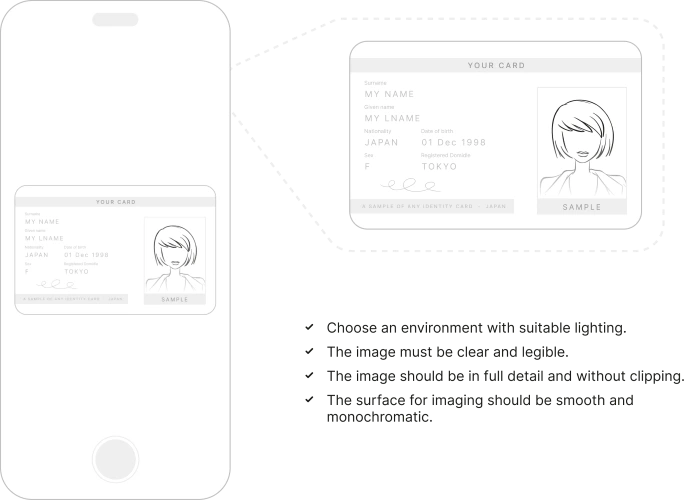
To verify your identity for Liliana Models, it's crucial that your Driver's License is both current and has not expired. Before capturing the image, ensure it's free from smudges or fingerprints. Find a well-lit environment, ideally with natural light, and position the Driver's License on a flat, solid-colored, non-reflective surface, ensuring no shadows or glare affect the image. When capturing the photo with a high-resolution smartphone or camera, hold it directly overhead. Ensure you take clear photos of both the front and back sides of the Driver's License, making sure the full license is in view without any cropping for each side. All details on the Driver's License, including text, photos, and security features, should be crisp and legible on both images. As always, we prioritize your privacy and use the Driver's License strictly for verification purposes.
Insurance Card Guide:
To verify your identity for Liliana Models, it's crucial that your Insurance Card is both current and has not expired. Before capturing the image, ensure it's free from smudges or fingerprints. Find a well-lit environment, ideally with natural light, and position the Insurance Card on a flat, solid-colored, non-reflective surface, ensuring no shadows or glare affect the image. When capturing the photo with a high-resolution smartphone or camera, hold it directly overhead. Ensure you take clear photos of both the front and back sides of the Insurance Card, making sure the full card is in view without any cropping for each side. All details on the Insurance Card, including text, photos, and logos, should be crisp and legible on both images. As always, we prioritize your privacy and use the Insurance Card strictly for verification purposes.
My Number Card Guide:
To verify your identity for Liliana Models, it's crucial that your My Number Card is both current and has not expired. Before capturing the image, ensure it's free from smudges or fingerprints. Find a well-lit environment, ideally with natural light, and position the My Number Card on a flat, solid-colored, non-reflective surface, ensuring no shadows or glare affect the image. When capturing the photo with a high-resolution smartphone or camera, hold it directly overhead. Ensure you take clear photos of both the front and back sides of the My Number Card, making sure the full card is in view without any cropping for each side. All details on the My Number Card, including text, photos, and security features, should be crisp and legible on both images. As always, we prioritize your privacy and use the My Number Card strictly for verification purposes.
Residence Card Photo Guide:
To verify your identity for Liliana Models, it's crucial that your Residence Card is both current and has not expired. Before capturing the image, ensure it's free from smudges or fingerprints. Find a well-lit environment, ideally with natural light, and position the Residence Card on a flat, solid-colored, non-reflective surface, ensuring no shadows or glare affect the image. When capturing the photo with a high-resolution smartphone or camera, hold it directly overhead. Ensure you take clear photos of both the front and back sides of the Residence Card, making sure the full Residence Card is in view without any cropping for each side. All details on the Residence Card, including text, photos, and holograms, should be crisp and legible on both images. As always, we prioritize your privacy and use the Residence Card strictly for verification purposes.
